Table of Contents
Are you wondering how to check your admission status on the JAMB CAPS portal? Whether you applied for admission into a university, polytechnic, or college of education, the Central Admission Processing System (CAPS) by JAMB is the official platform to confirm if you've been offered admission.
This guide explains everything you need to know in simple steps. It's especially useful for UTME and Direct Entry candidates for the 2024/2025 academic session.
What is JAMB CAPS?
JAMB CAPS is a system introduced by the Joint Admissions and Matriculation Board (JAMB) to make the admission process more transparent and organized. Through CAPS, candidates can:
- Check admission status
- Accept or reject admission offers
- Monitor the progress of their admission
- Know the institution that offered them admission
Why Is It Important to Check Your Admission on CAPS?
Some candidates don't know they've been offered admission because they don’t check the CAPS portal. If you fail to accept your admission, it can be withdrawn and given to someone else.
How to Check Your Admission Status on JAMB CAPS
Related Posts
Follow these steps carefully:
Step 1: Visit JAMB CAPS Portal
Go to the official JAMB e-facility page:
https://efacility.jamb.gov.ng
Step 2: Log in to Your Profile
- Enter your email address and password used during JAMB registration.
- Click on “Login”.
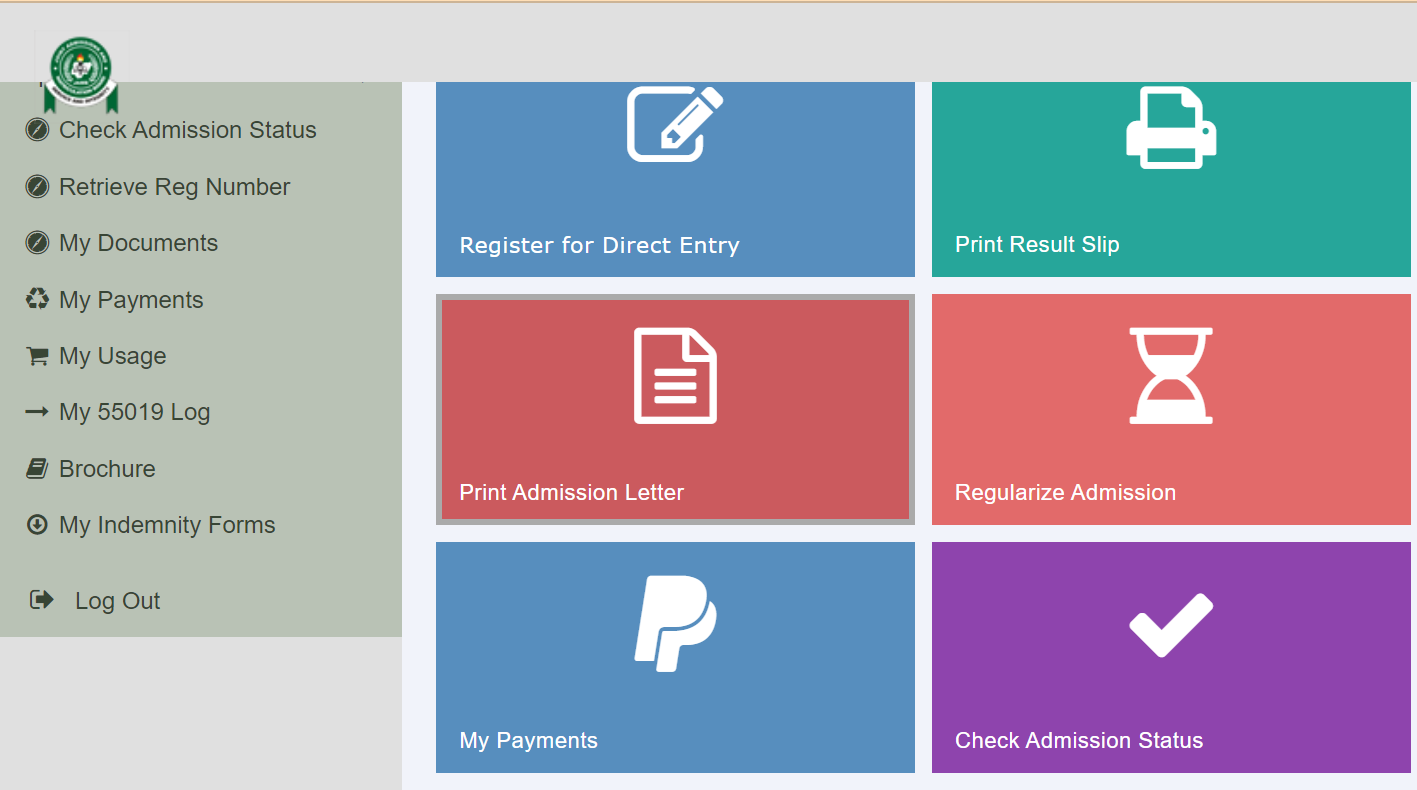
Step 3: Click on “Check Admission Status”
After login, scroll down and click “Check Admission Status” under the services section.
Step 4: Access CAPS
You’ll be redirected to your dashboard.
Click on “Access CAPS” from the left menu.
Step 5: View Your Admission Status
- Click on “Admission Status” to see if you’ve been offered admission.
- If you see “Admission in Progress” or “Not Admitted Yet,” don’t panic. Keep checking regularly.
Step 6: Accept or Reject the Admission
- If admitted, you’ll see “Accept Admission” and “Reject Admission” buttons.
- Click “Accept” to confirm your admission officially.
Important Notes
Related Posts
- Use a laptop or desktop for better viewing; the CAPS page may not load fully on some phones.
- If you reject an admission, you may not be considered by others.
- Ensure your O’level results are uploaded to JAMB CAPS. Visit any accredited CBT centre for assistance.
What to Do After Accepting Admission
- Print your JAMB Admission Letter.
- Proceed to your school’s portal to complete clearance and registration.
- Get ready for school resumption.
Conclusion
Checking your admission status on the JAMB CAPS portal is very important. It helps you stay informed and take the right steps quickly. Don’t wait to be told—log in today and check your status.
If you're still waiting for admission, remain hopeful. Schools release admission in batches, so keep checking the portal regularly.
